Multi-Store Furniture Showroom Rollout: A U.S. Display Deployment Guide
A practical guide for U.S. furniture retailers planning multi-store showroom updates, covering prop TV standards, sample approval, distribution centre delivery, phased rollout and store installation.

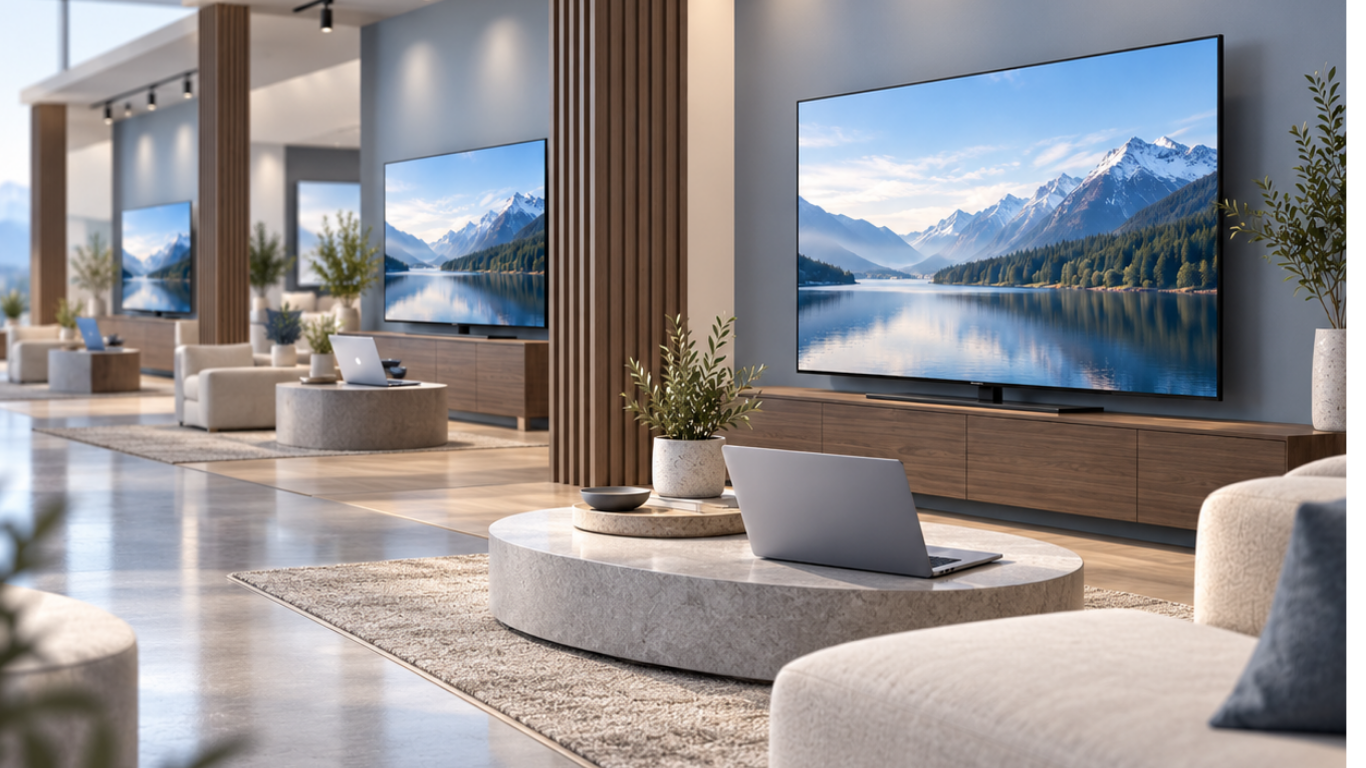
Creating an attractive furniture showroom is one challenge. Reproducing the same visual standard across multiple stores is another.
For U.S. furniture retailers, new-store openings, showroom remodels, and merchandising updates can involve locations with different floor plans, furniture collections, receiving arrangements, and installation schedules.
A display that works beautifully in one flagship showroom may need to be adapted before it can be introduced across a regional or national store network.
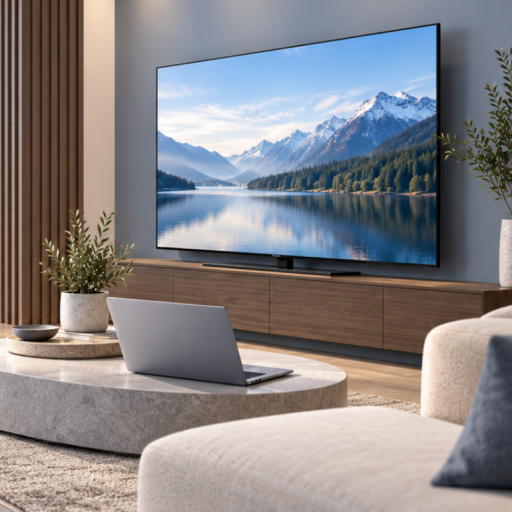
Non-functional Prop TVs can form part of a repeatable furniture display programme.
They provide the realistic appearance of televisions without requiring electricity, electronic content management or software configuration.
However, successful deployment depends on more than selecting the right products.
Visual Merchandising, Store Planning, Procurement, Distribution, and Retail Operations teams need an agreed-upon specification, a realistic delivery plan, and a consistent installation process.
This guide explains how to plan a multi-store furniture showroom rollout, from initial display approval to delivery, installation and post-rollout review.
1. What Is a Multi-Store Furniture Showroom Rollout?
A multi-store showroom rollout is a coordinated programme for introducing approved display elements into several retail locations.
The project may support:
- New furniture store openings
- Regional showroom refurbishments
- Seasonal furniture collection changes
- Updated visual merchandising standards
- Replacement of existing display props
- Expansion into new store formats
- Flagship showroom concepts
- Wider retail network refreshes
Unlike an isolated showroom purchase, a multi-store rollout requires several departments to work from the same approved plan.
The aim is to create a consistent customer-facing presentation while accommodating differences between store layouts and furniture categories.
For example, a compact urban store may need smaller television props, while a flagship location may require larger displays for spacious living-room collections.
The objective is consistency of design standards, not necessarily identical products in every store.
2. Start with the Customer Experience, Then Define the Display Standard
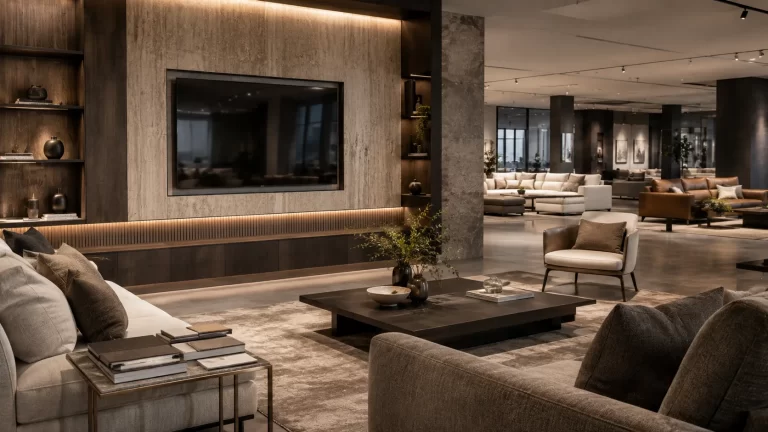
Furniture showrooms are most effective when the products are presented within believable interior settings.
A sofa, entertainment unit, side table, and carefully selected accessories work together to communicate how a room might be used.
A realistic Prop TV can help complete that visual story.
However, the television must remain a supporting element.
For a retailer with multiple locations, Visual Merchandising should establish a consistent design direction before Procurement begins ordering products.
A practical standard may define:
Room purpose
What should the furniture arrangement communicate?
Furniture proportions
How does the television relate to the media cabinet, sofa group and wall dimensions?
Visual identity
Which frame finishes and static screen artwork match the approved furniture collection?
Display method
Should the product be wall-mounted or positioned on a supporting cabinet?
Reference photography
What should the completed room setting look like?
For a structured approach to these decisions, review our Furniture Showroom Visual Merchandising Checklist.
Once the room setting has been approved, the team can translate the visual concept into a repeatable product specification.
3. Establish a Prop TV Size Standard for Different Store Formats
A regional furniture chain may operate several types of retail locations.
These can include smaller urban showrooms, standard suburban stores, regional furniture centres and premium flagship stores.
Using one screen size throughout the network is rarely the only option.
A practical preliminary display matrix might look like this:
| Display Category | Sizes to Consider | Typical Application |
|---|---|---|
| Compact Living | 43–50 inches | Apartments, bedrooms and smaller media furniture |
| Core Living | 55–65 inches | Standard sofas and entertainment units |
| Premium Living | 70–75 inches | Wider media cabinets and large living-room arrangements |
| Flagship Display | 85–98 inches | Expansive feature walls and premium furniture collections |
These are illustrative planning categories, not fixed YIJIA display packages or installation requirements.
A 65-inch Prop TV may be considered as a common specification for standard living-room displays, while larger and smaller models can support other room categories.
Use our Prop TV Size Guide to compare approximate screen proportions.
Before confirming an approved model, check its complete dimensions, construction, weight, surface finish and intended installation method.
Store teams should not make independent substitutions without reviewing the effect on the approved furniture presentation.
4. Create One Approved Product Specification for Each Display Category
Once the initial model selection is complete, the project team should document the specification.
Each approved product reference should include:
- Product model and nominal TV size
- Overall width, height, and depth
- Approved frame appearance
- Static screen artwork
- Wall-mounted or tabletop configuration
- Required stand or mounting accessories
- Actual product weight
- Packing and handling information
- Approved reference photographs
- Any agreed quality acceptance criteria
The same specification should be shared with Procurement, Store Planning, Operations and the selected supplier.
If different stores require an alternative size or installation method, record that variation as a separate approved configuration.
For detailed product evaluation criteria, read our Prop TV models and quality checklist.
A documented specification reduces ambiguity when products are ordered, packed, received, and installed at different locations.
5. Run a Pilot Before the Regional Rollout
For a larger project, a pilot installation can help validate the display standard before wider deployment.
The pilot should involve a representative room setting and a suitable store environment.
The project team can use this stage to examine:
Appearance
Does the approved Prop TV complement the actual furniture collection?
Fit
Do the overall product dimensions work with the media cabinet or wall arrangement?
Installation
Are the necessary supports, accessories and site conditions in place?
Screen presentation
Does the static artwork coordinate with the lighting and showroom design?
Receiving and handling
Are the packaging, product identification and handling instructions suitable?
Store execution
Can the store team understand and reproduce the approved display arrangement?
Photographs and written comments should be collected after installation.
If changes are needed, update the approved specification before releasing the wider order.
A pilot is not a guarantee that every store will have identical conditions, but it provides an opportunity to identify practical issues before they affect more locations.
6. Build a Store-by-Store Rollout Schedule
A rollout becomes easier to manage when each location has a documented product requirement.
The schedule should connect product quantities with the store’s receiving arrangements and intended installation date.
Consider the following illustrative structure:
| Store Format | Example Display Mix | Receiving Plan |
|---|---|---|
| Urban Showroom | Compact and core living-room sizes | Store or regional warehouse |
| Standard Store | Core living-room and premium sizes | Distribution centre or store |
| Flagship Store | Core, premium and large-format models | Project-specific delivery |
The actual schedule should contain separate rows for each store and product model.
Useful fields include:
- Store identifier and address
- Region or distribution territory
- Room-setting category
- Approved model reference
- Quantity required
- Screen artwork and display configuration
- Delivery destination
- Required arrival date
- Planned installation date
- Project wave
- Receiving contact
- Approval or exception status
The schedule should also identify whether the products are intended for new-store openings, remodels or existing display replacements.
This distinction matters because each type of project can have different receiving and installation constraints.
7. Coordinate Deliveries Through U.S. Distribution Centres or Direct-to-Store Shipping
Many furniture retailers use distribution centres or regional warehouses as part of their supply operations.
For display prop projects, two general delivery approaches can be considered.
Central Distribution Centre Delivery
Products are delivered to a designated receiving location and subsequently distributed through the retailer’s existing network.
This arrangement may help the retailer coordinate product allocation and store delivery alongside other merchandise or display materials.
However, the receiving centre must have appropriate handling, storage and onward-shipping arrangements for the actual products.
Direct-to-Store Delivery
Products are sent to individual store locations according to an agreed delivery schedule.
This can be useful where a project requires individual receiving dates or where no central allocation process is available.
However, direct-to-store shipments require accurate addresses, store contacts, delivery instructions and coordination with installation teams.
Choosing the Right Arrangement
The best option depends on the retailer’s logistics infrastructure, the number of locations, shipment volumes and the requirements of each display model.
For large-format Prop TVs, confirm protective packing, delivery access, handling and any special receiving restrictions.
Do not assume that a standard parcel delivery service is suitable for every product size.
If international shipping is involved, clarify the applicable Incoterm, customs responsibilities and the point at which the retailer or its logistics partner takes responsibility for onward distribution.
Our multi-store showroom display solutions explain how product requirements can be organised around different room settings and receiving arrangements.
8. Divide the Rollout into Manageable Deployment Waves
A national or regional rollout does not necessarily need to happen in one shipment.
A phased approach can give the project team better visibility into receiving, installation and any necessary corrections.
A practical structure may include three stages.
Pilot Stage
Approve the representative product configuration, packing requirements and installation method.
Record any changes before proceeding.
Initial Regional Wave
Deploy approved products to a selected group of stores.
Confirm that the receiving, installation and reporting process works as expected.
Wider Rollout
Extend the approved specification to additional locations according to the final schedule.
The number of waves and their timing should reflect the actual project size, store readiness, supply availability and shipping requirements.
No universal rollout duration should be assumed.
For every wave, confirm the approved specification, release quantities, shipment destinations and required dates before dispatch.
9. Prepare Stores for Receiving and Installation
A shipment arriving at the correct warehouse is not the same as a completed showroom installation.
Stores need clear information about what they are receiving and where the products should be placed.
Before the scheduled delivery, provide:
Product identification
Approved model references and quantities.
Room-setting instructions
The intended display category and reference photographs.
Installation requirements
Wall-mounted or tabletop configuration, supporting structure checks and any approved accessories.
Receiving information
Expected cartons, delivery instructions and handling requirements.
Project contacts
Who should be contacted if the wrong model arrives, the product is damaged, or installation cannot proceed?
After receiving, the store should check the shipment against the packing list and record visible damage or shortages according to the agreed procedure.
For wall-mounted displays, the installation must be checked against the model’s confirmed attachment points and the actual wall conditions.
A non-functional product does not eliminate the need for safe physical installation.
10. Use a Simple Exception Management Process
Large retail projects can encounter unexpected issues.
A location may have different cabinet dimensions, a delivery may be delayed, or a product may arrive with visible transport damage.
These situations should be documented rather than resolved through unapproved product substitutions.
A practical exception record should include:
- Store and shipment reference
- Product model and quantity affected
- Description of the issue
- Photographs where appropriate
- Date reported
- Responsible contact
- Proposed corrective action
- Resolution status
Examples of exceptions include:
Wrong model delivered
Confirm the product reference against the approved order and agree on the appropriate correction.
Visible transport damage
Document the condition, preserve the relevant shipment evidence and follow the agreed claim or replacement procedure.
Installation incompatibility
Stop the affected installation and confirm the dimensions, mounting method and supporting structure before proceeding.
Store not ready
Review whether the shipment or installation should be rescheduled.
An agreed exception process helps Procurement, Operations and the supplier work from the same information.
Final remedies, claims and responsibilities depend on the applicable commercial agreement.
11. Measure Rollout Execution and Display Consistency
A showroom rollout should be evaluated using operational and visual standards.
Instead of relying on unverified claims about increases in furniture sales, measure the aspects of the deployment that the project can directly observe.
Useful indicators include:
Store completion status
How many locations have received and installed their approved display props?
Specification compliance
Are the correct models, artwork, and installation configurations in place?
Delivery performance
Were products received within the agreed delivery window?
Exceptions
How many shipments or installations required corrective action?
Visual approval
Have completed room-setting photographs been reviewed against the reference standard?
Store feedback
Did Operations or Visual Merchandising identify recurring handling or installation problems?
These indicators can help improve future new-store openings, showroom refreshes and replacement programmes.
They should be treated as operational measures, not as proof of increased customer conversion or furniture sales.
12. Prepare a Multi-Store Display Procurement Brief
When the design standard and rollout process are clear, the procurement team can prepare a useful supplier enquiry.
The brief should contain:
| Requirement | Information to Provide |
|---|---|
| Project scope | New-store opening, refurbishment or network refresh |
| Store count | Number of participating locations |
| Display categories | Compact, core, premium and flagship requirements |
| Model specification | Approved TV sizes, finishes and static artwork |
| Quantities | Units by size, store and rollout wave |
| Installation | Wall-mounted or tabletop arrangements |
| Sample approval | Pilot or approved reference model |
| Distribution | Central warehouse or direct-to-store delivery |
| Timing | Required delivery and installation windows |
| Shipping terms | Destination and preferred commercial arrangement |
| Project contacts | Procurement, Store Planning and receiving coordination |
Attach representative room photographs and any approved product specifications.
For initial guidance on preparing the quotation details, use our Prop TV Quote Checklist for Showrooms.
A complete procurement brief helps the supplier review model availability, packing requirements, project quantities and possible delivery arrangements.
Frequently Asked Questions
Can the same Prop TV model be used across different furniture stores?
Yes, where the approved size, appearance and installation requirements suit the relevant room settings. Different store formats may require multiple approved models.
Do YIJIA Prop TVs play videos or display digital advertising?
No. YIJIA Prop TVs are non-functional display models using static screen artwork. Working televisions or digital signage displays are required for electronic content.
Is a pilot installation necessary for every showroom project?
Not always. However, a pilot or sample review can be valuable when a larger number of locations will use the same specification.
Can a project combine several TV sizes?
Mixed-size requirements can be discussed according to room categories, model availability, quantities and delivery arrangements.
Can products be shipped to a U.S. distribution centre?
A distribution-centre delivery arrangement can be discussed for a specific order. The address, receiving conditions, shipment details and applicable commercial terms must be confirmed before the arrangement is agreed.
Can YIJIA deliver to multiple individual U.S. stores?
Multi-destination requirements can be reviewed as part of the project enquiry. Available shipping options, costs and responsibilities depend on the actual locations and order.
How should retailers handle replacement products after the rollout?
Keep an approved model specification and record the affected location, product reference and required quantity. Replacement availability and commercial arrangements should be confirmed for the specific request.
What information is needed for a multi-store project quote?
Provide the number of locations, room categories, model sizes, quantities, display requirements, distribution plan and expected delivery schedule.
Plan Your Multi-Store Furniture Showroom Rollout with YIJIA Props
A successful showroom rollout begins with a consistent visual concept and continues through product approval, procurement, delivery and store-level execution.
Non-functional Prop TVs can help furniture retailers complete realistic room settings without unnecessary electronic operation.
But their value in a multi-store programme depends on selecting the right products and coordinating their use across different locations.
YIJIA Props supplies non-functional television display models for furniture showrooms, model homes and professional staging projects.
For U.S. furniture groups planning new stores, regional remodels or coordinated display updates, we can review suitable product configurations, mixed-size requirements and project supply arrangements.
Request a multi-store furniture showroom quote with your store count, approved display sizes, quantities, receiving destinations and target rollout schedule.
If your specifications are still being developed, share your proposed room-setting categories and reference photographs so we can help review suitable display options.